

What are Custom Nodes ?
Custom nodes are extensions for ComfyUI that add new functionality like advanced image processing, machine learning fine-tuning, color adjustments, and more. These community-developed nodes can significantly expand ComfyUI’s core capabilities. All custom node installations require completing these two steps:- Clone the node code to the
ComfyUI/custom_nodesdirectory - Install the required Python dependencies
| Method | Advantages | Disadvantages |
|---|---|---|
| ComfyUI Manager (Recommended) | 1. Automated installation 2. Dependency handling 3. GUI interface | Cannot directly search for nodes not registered in the registry |
| Git Clone | Can install nodes not registered in the registry | 1. Requires Git knowledge 2. Manual dependency handling 3. Installation risks |
| Repository ZIP Download | 1. No Git required 2. Manual control | 1. Manual dependency handling 2. No version control 3. Installation risks |
Method 1: ComfyUI Manager (Recommended)
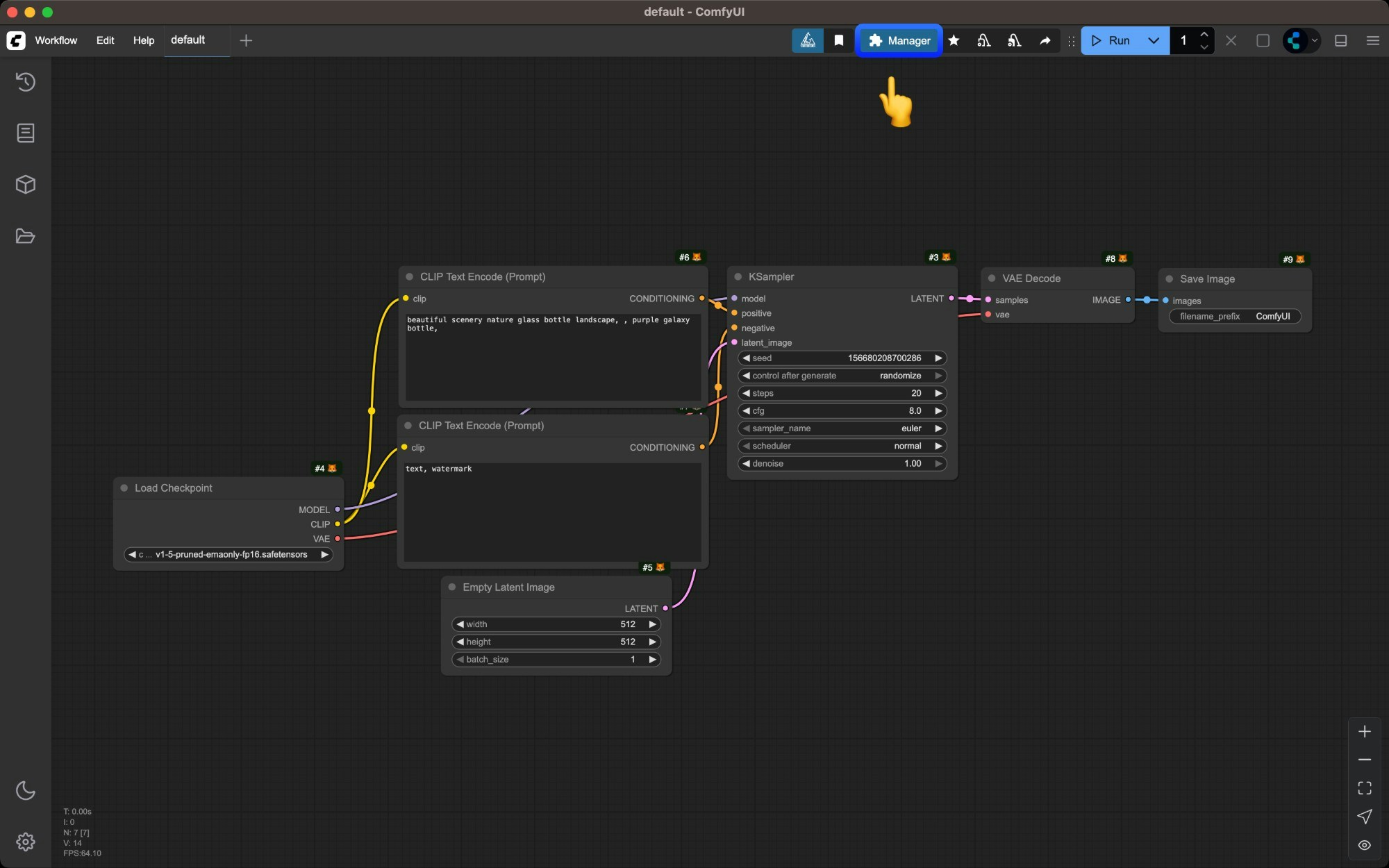
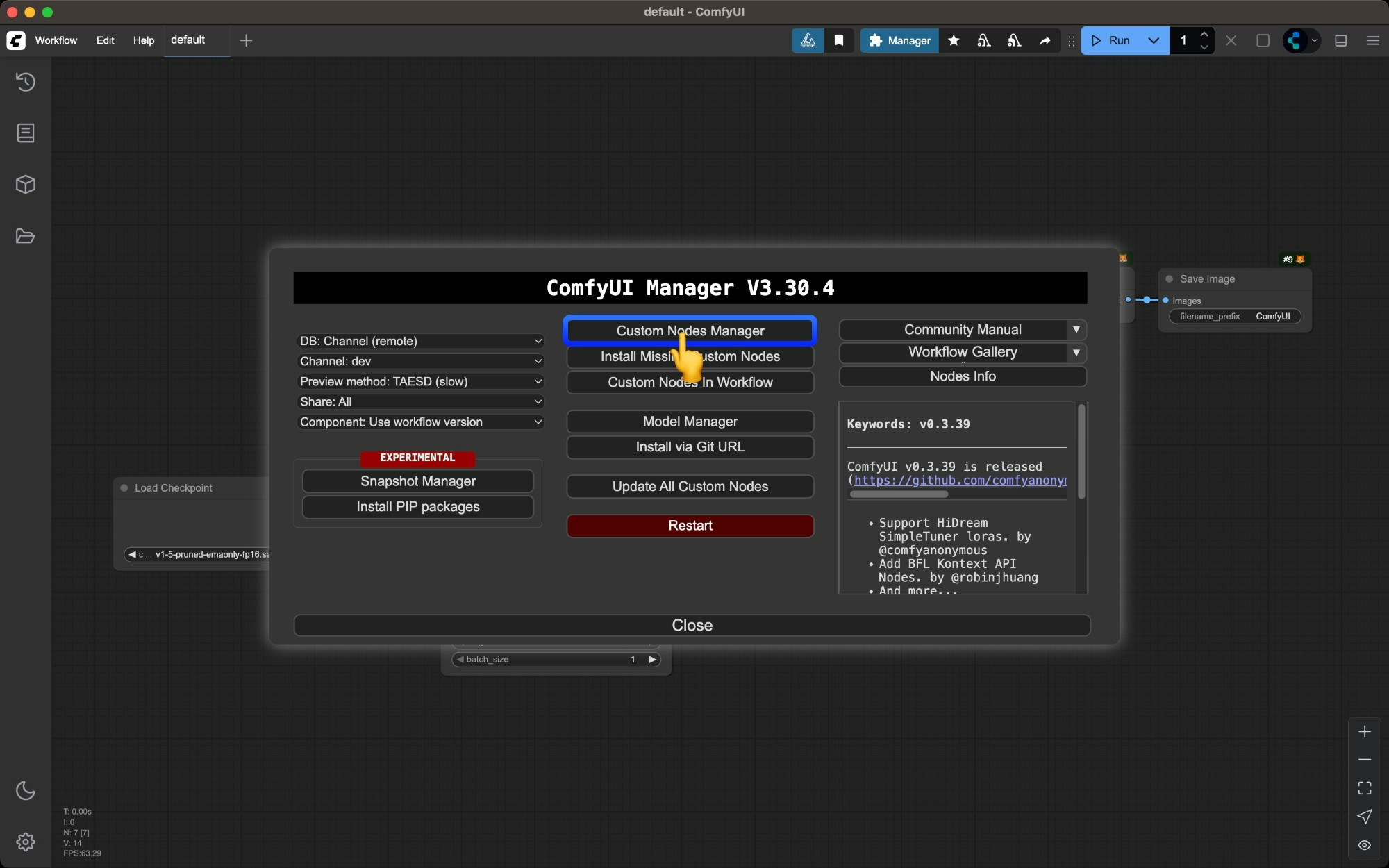
Browse the custom nodes list

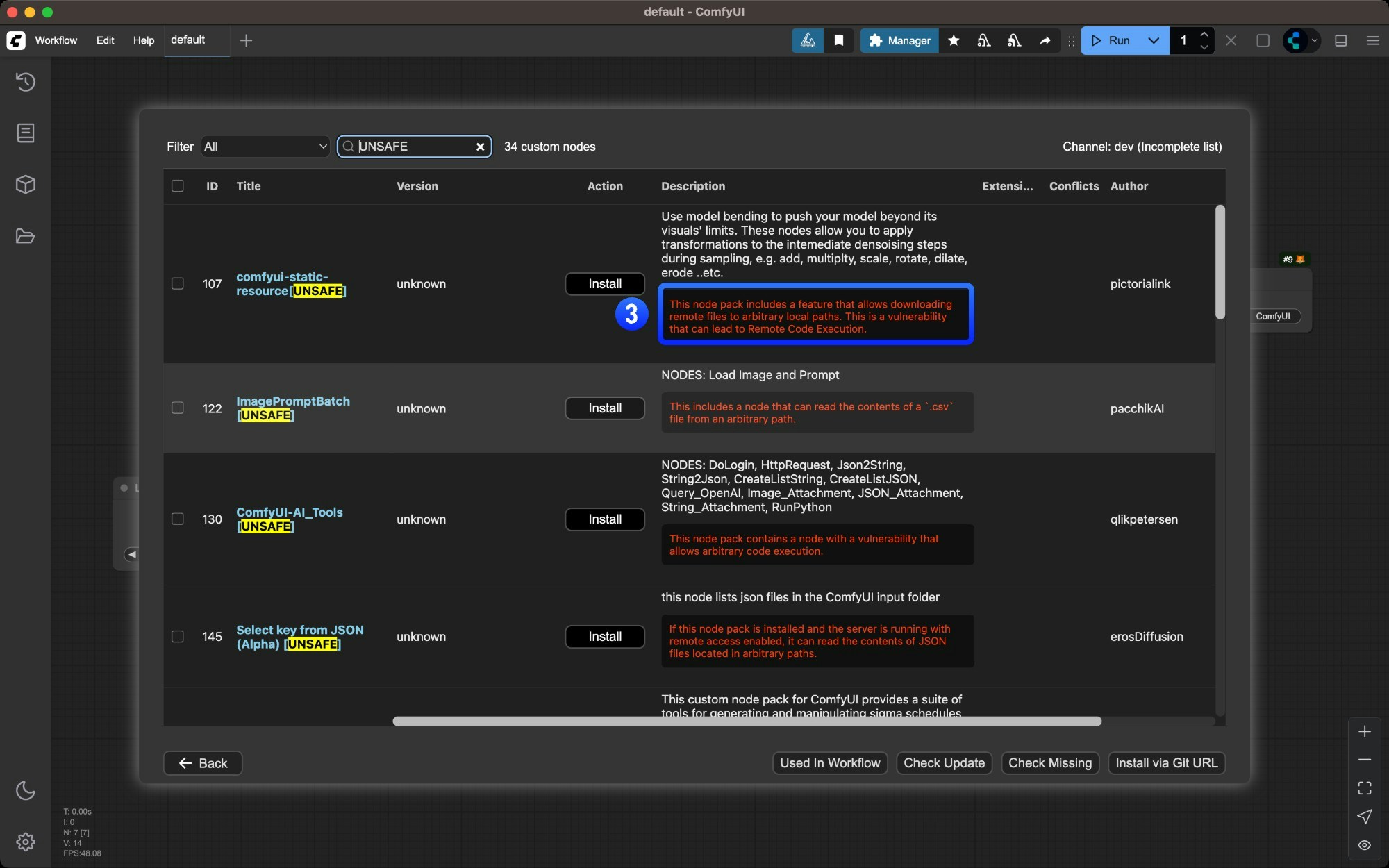
- Nodes marked with
⚠️may have dependency conflicts with other plugins - Author names marked with
✅indicate their activity level on Github - Potential plugin risks are highlighted in red - ensure plugin safety before installing
Click the `Install` button for the desired node
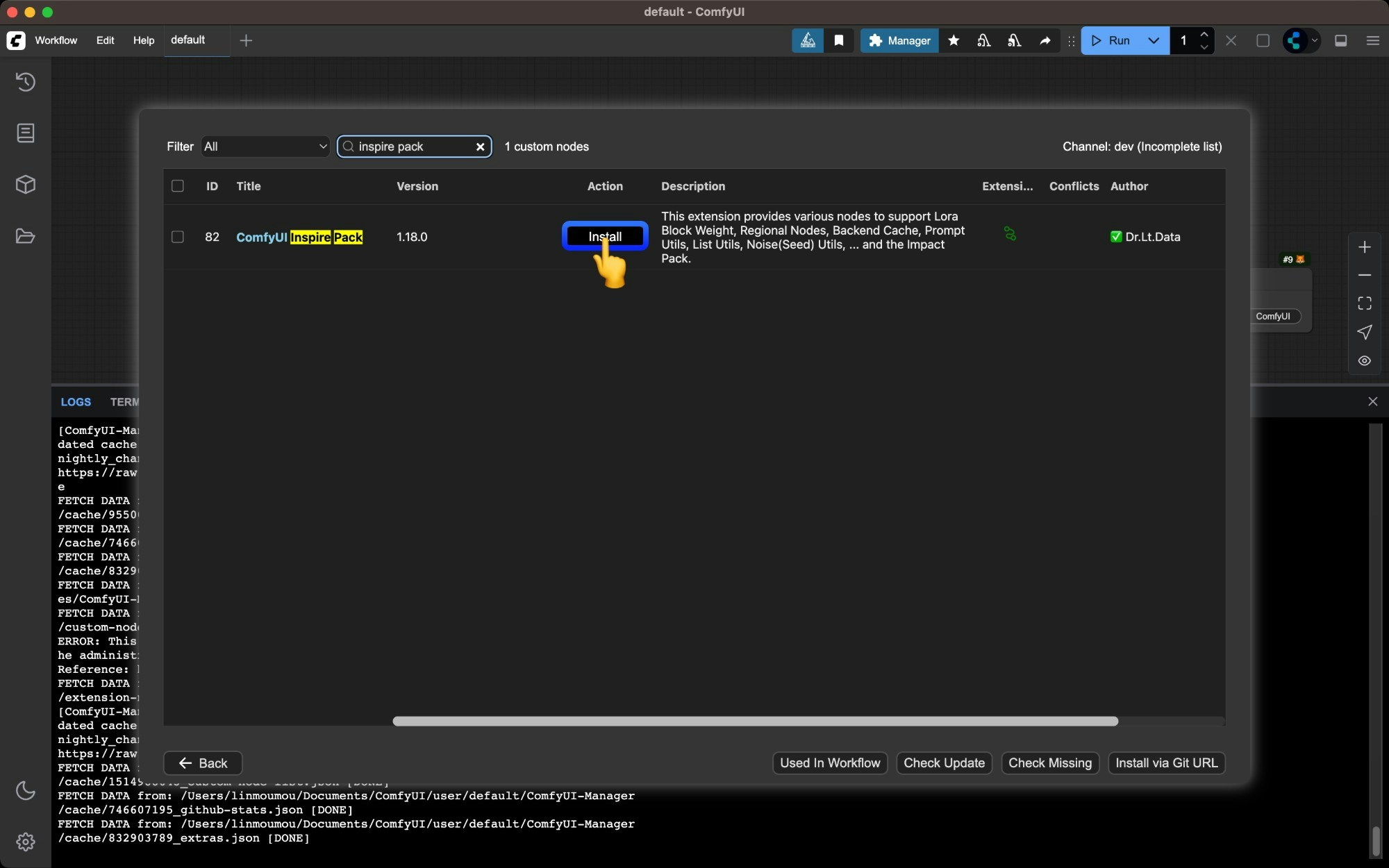
Install button.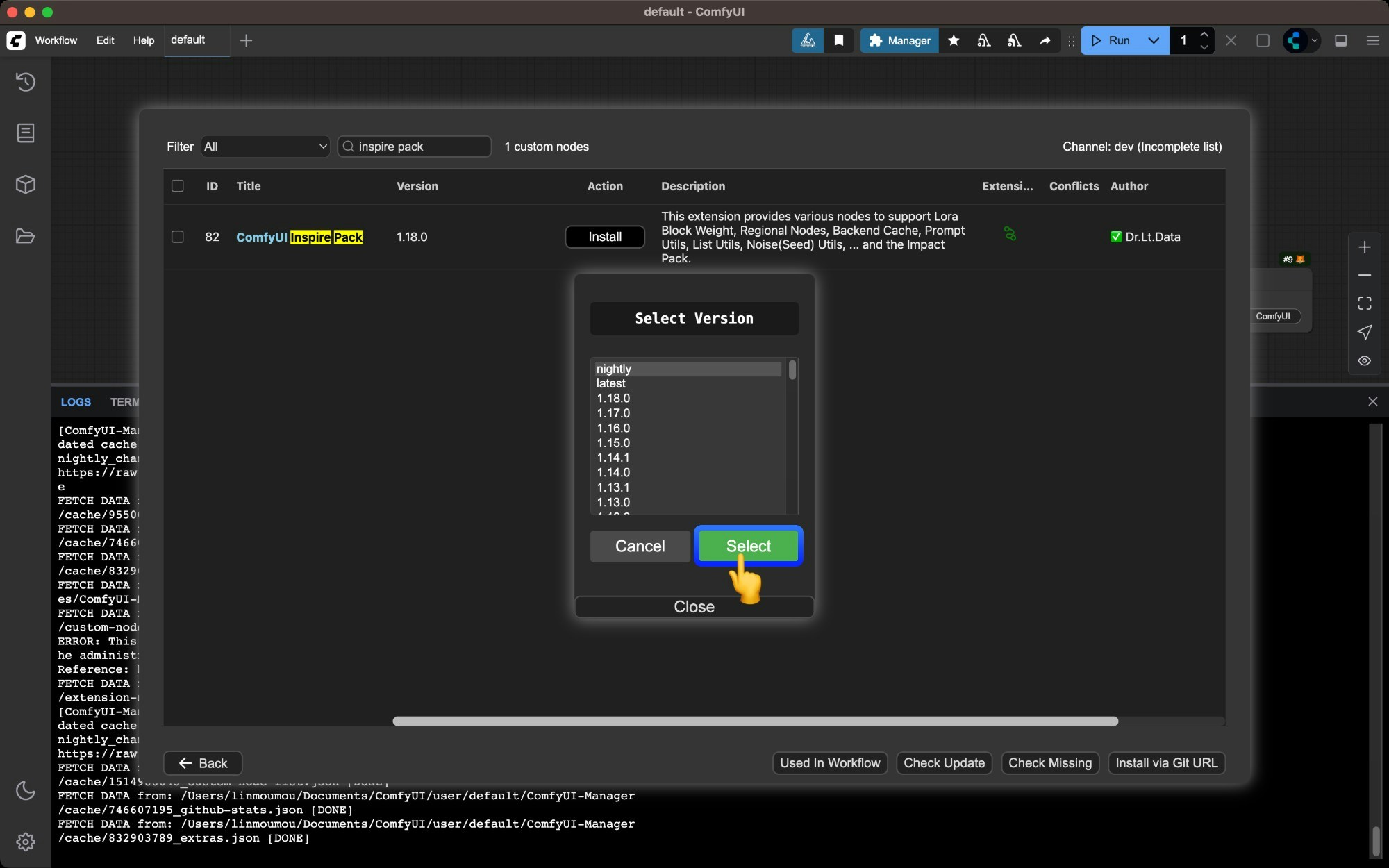
- At this step, if you select the
nightlyversion, it will directly download the latest source code of the plugin from Github. However, if your Manager’ssecurity_levelis set tonormal, you will not be allowed to download the source code directly from Github because the code has not been scanned. - If you select other versions such as
latestor a stable version with a number, the code will be downloaded from https://registry.comfy.org/, which means the code has been reviewed and will not trigger a security check.
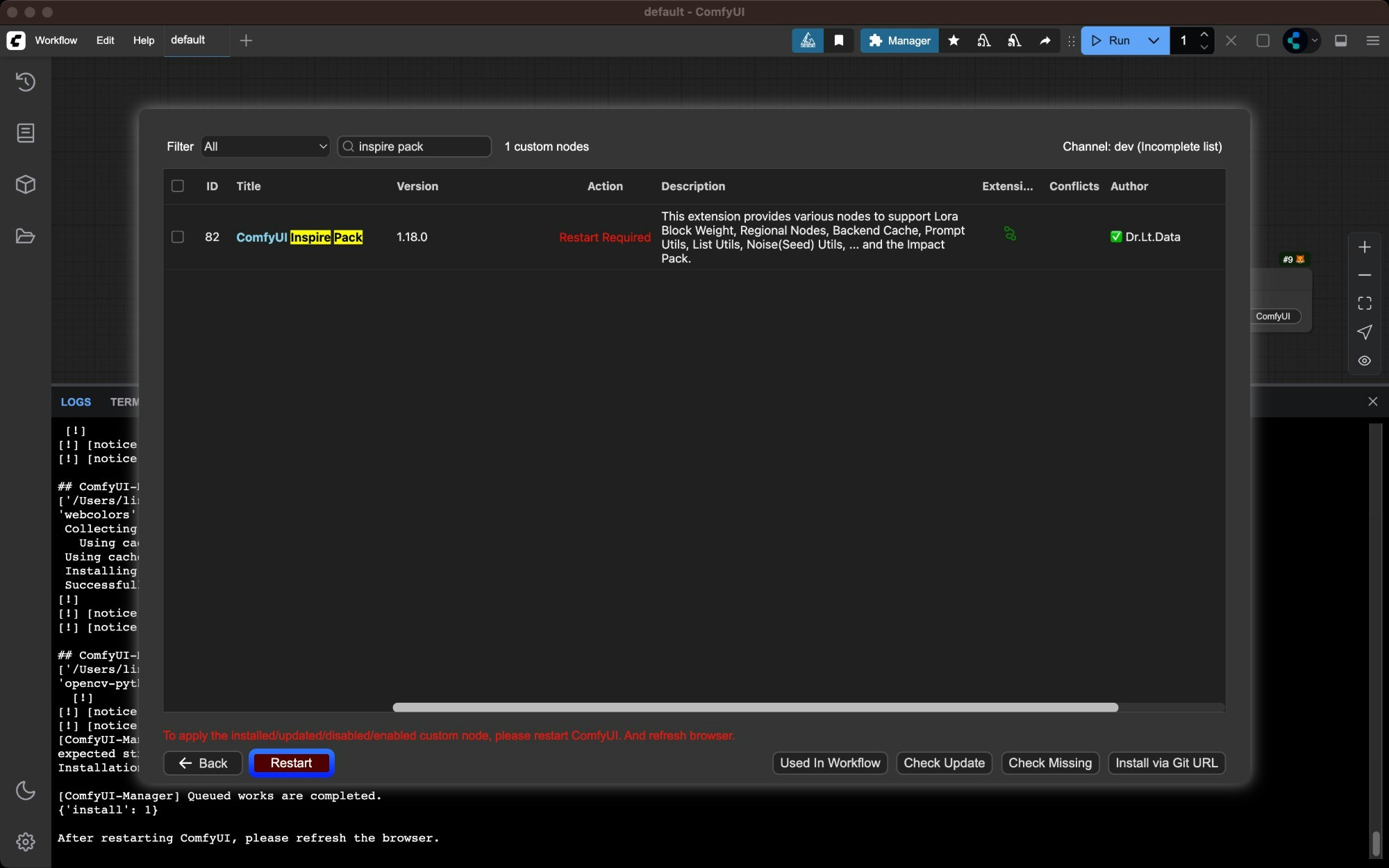
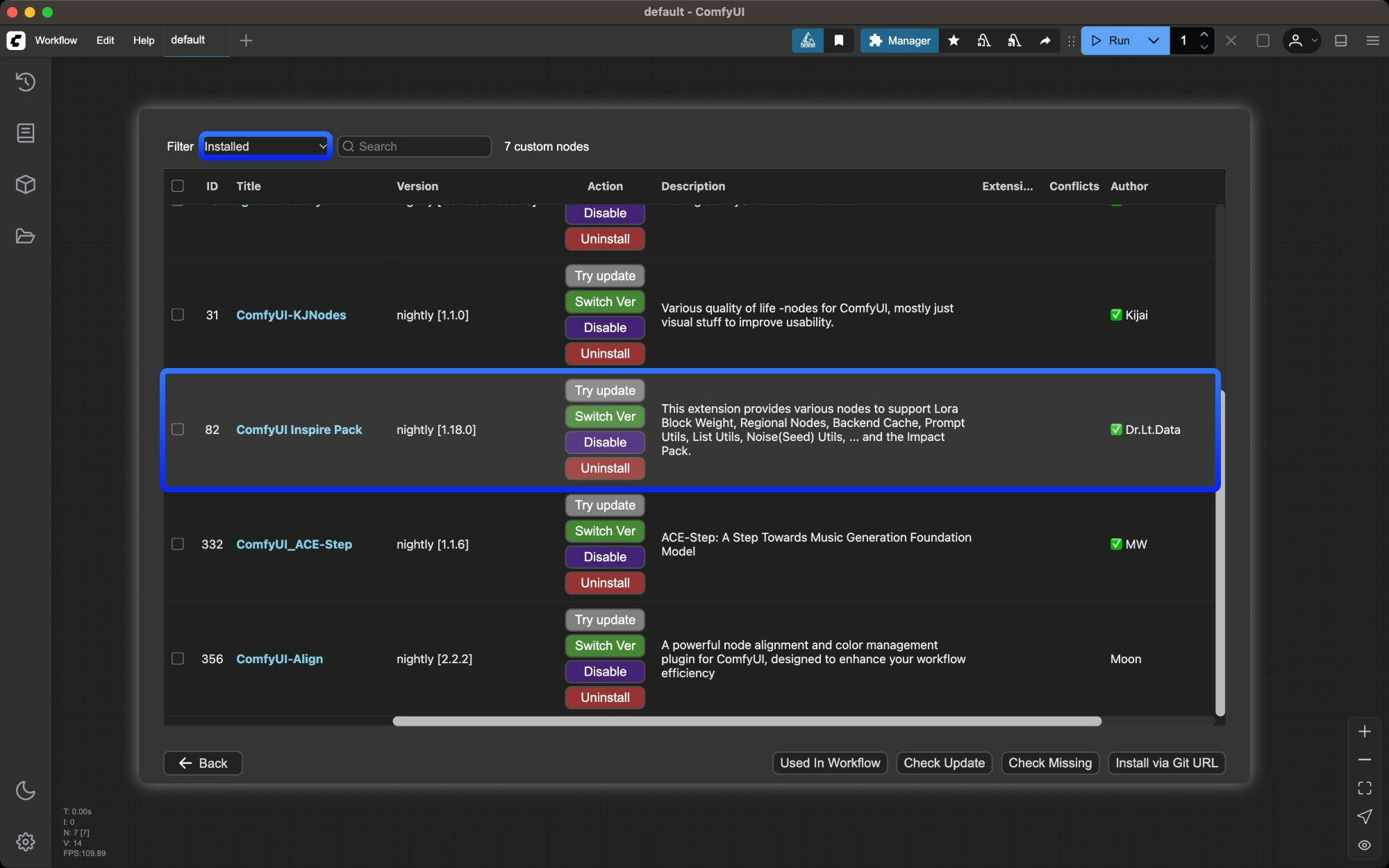
Wait for dependencies to install and restart ComfyUI
Manager will automatically install dependencies and prompt you to restart ComfyUI when complete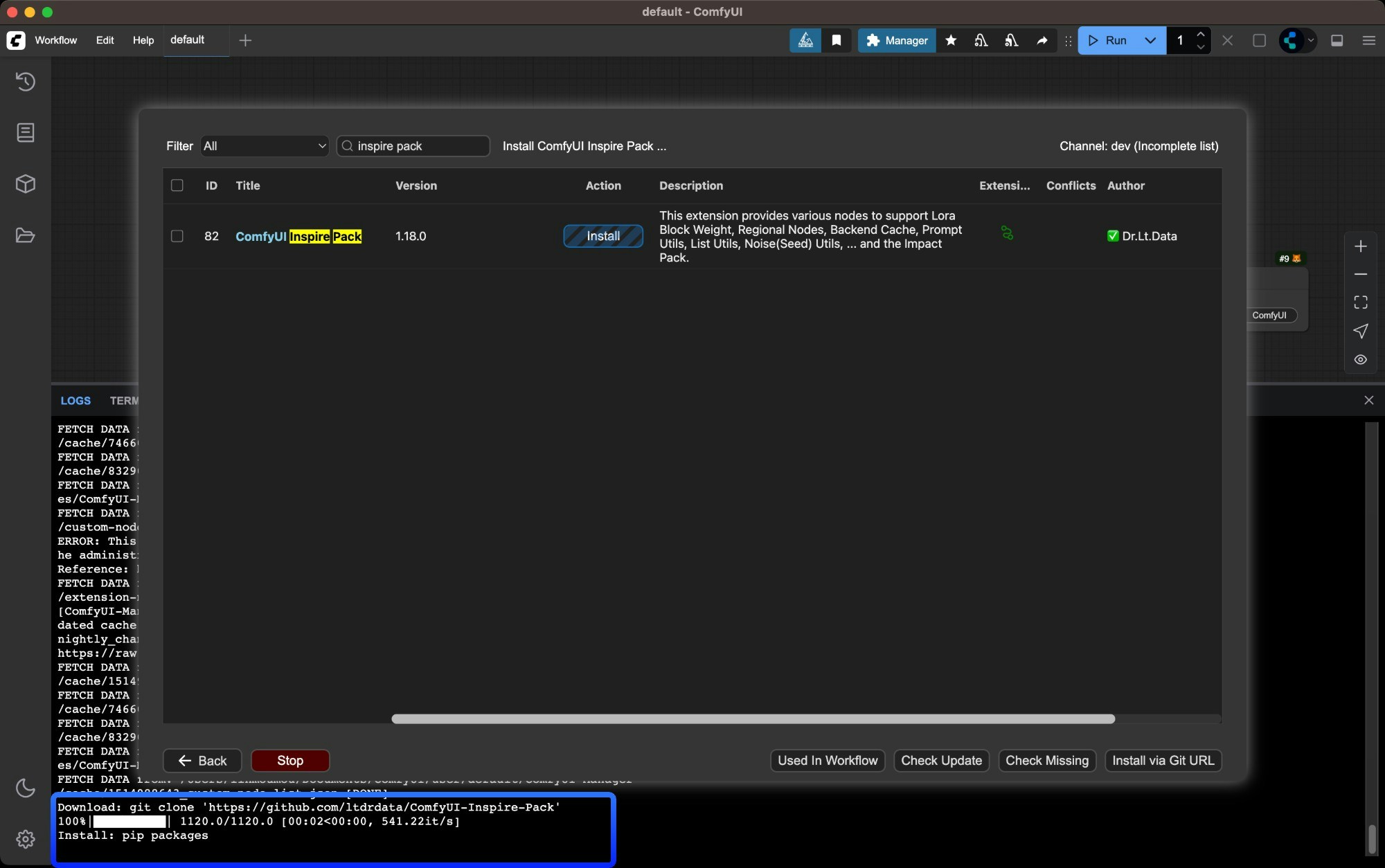
Method 2: Manual Installation Using Git
Suitable for new nodes not found in Manager or when specific versions are needed. Requires Git installed on your system.Install dependencies
Dependencies must be installed in your ComfyUI environment - be careful not to mix with your system environment to avoid contamination
- Windows Portable
- Manual Install
For Windows portable version, install dependencies in the embedded Python environment
Method 3: ZIP Download Installation
Suitable for users who cannot use Git or Manager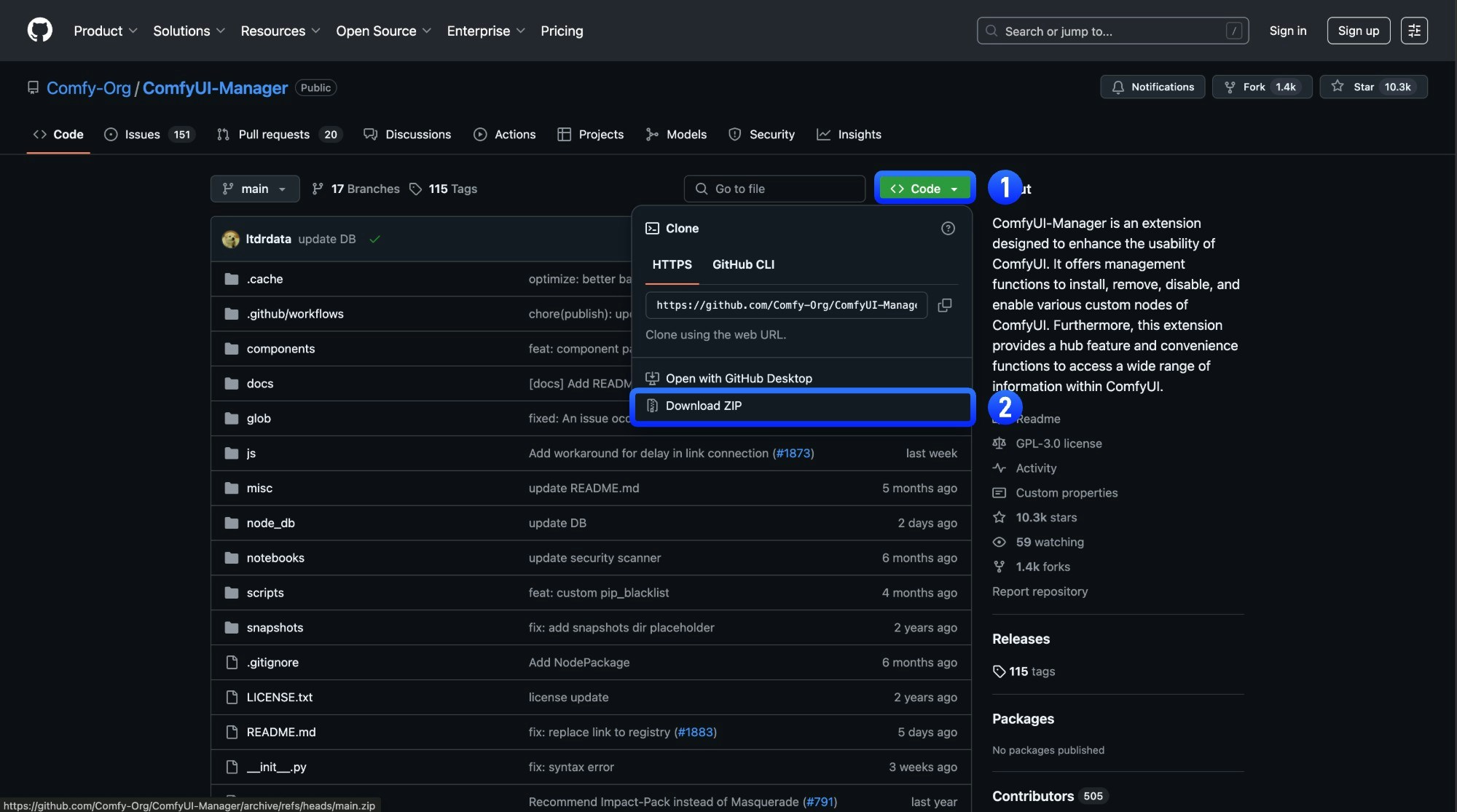
Copy extracted folder to `ComfyUI/custom_nodes/` directory
Copy the extracted folder to
ComfyUI/custom_nodes/ directoryCustom Node Resources
In ComfyUI, besides the basic node extension functionality, custom nodes can also include the following additional resources:- Node Documentation: This feature supports all custom and basic nodes. You can use it to view node documentation, understand the purpose and usage of nodes, and contribute documentation via PRs to the author.
- Custom Node Workflow Templates: Workflow templates provided by node authors as example workflows, which can be browsed and loaded from the ComfyUI templates.
- Multi-language Support